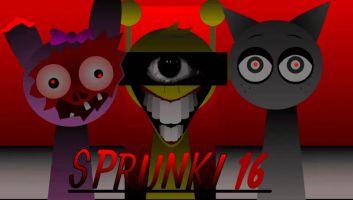
Sprunki Phase 10
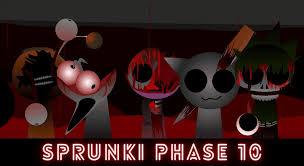
Sprunki Phase 10
Related Games
Sprunki Danger Infected Virus
Sprunki School House Trouble Babies 2.0
Kino Sprunked 2.0 Extra Animation
Sprunki Pyramixed But Phase 3
Sprunki Hospit
Sprunki YUBIN NIIKU 2: The Deaths of Fun
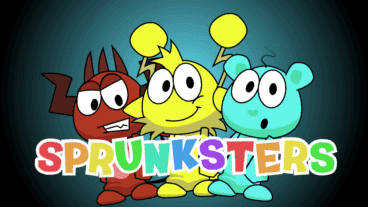
Sprunki Sprunksters
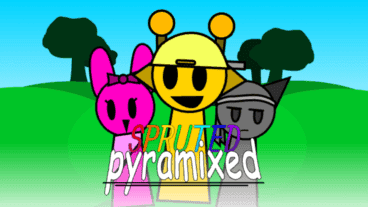
Spruted Pyramix
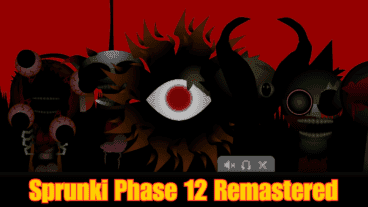
Sprunki Phase 12 Remastered
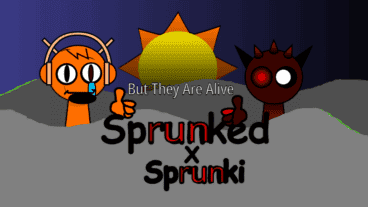
Sprunked x Sprunki But They All Alive
Qoobies But Sprunki
Sprunkilairity Retake Original
Sprunki Phase 10 – Play Online
Sprunki Phase 10 is a fan-made Sprunki music-mixing mod built around a dark red-and-black presentation. The browser game above uses character sound icons and a horror-styled cast: add performers to the lineup, listen to the combined loop, and change the arrangement while it plays.
What makes this Phase 10 build different?
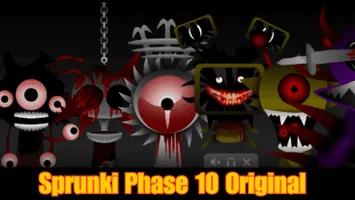
This page hosts the standard Phase 10 build. Its defining feature is the late-phase horror presentation shown in the game itself—not card gameplay, combat, or ten separate challenge levels. If you want the separately labelled release, use the Sprunki Phase 10 Original page instead.
How to play
- Press Play and wait for the sound tray to load.
- Select or drag a character icon into an open position.
- Add several characters to layer rhythm, melody, vocals, and effects.
- Remove or replace a character when you want to change the loop.
- Use reset when you want to rebuild the mix from an empty lineup.
Quick tips
- Begin with two or three layers so each new sound is easy to hear.
- Add characters one at a time instead of filling every position immediately.
- Try a different order when two sounds compete for the same part of the mix.
Reading the Phase 10 interface
The playable screen uses a horizontal character tray beneath the stage. The red and black cast is the clearest identifier for this build. Treat each icon as a sound choice rather than a separate level: selecting a different face changes the active loop, while the overall scene remains the same mixer.
Phase-number searches are often ambiguous, so this page deliberately avoids claiming that “10” means ten missions or ten card phases. On Sprunkix, it identifies the name attached to this particular horror-themed music build. The separate Original page is linked for people comparing releases.
A useful first mix
For a controlled comparison, begin with one low or repeating rhythm. Add a second character that occupies a different frequency range, then test one vocal or effect layer. Let the loop repeat twice before adding another performer. This makes it easier to identify which icon supplies each part and avoids an arrangement where every sound competes at once.
Controls and interaction notes
The exact input can vary slightly between embedded builds, but the basic interaction is consistent: use a mouse or touch input to choose character icons and place them into available positions. A selected performer begins contributing its loop to the full arrangement. Remove, mute, or replace it through the controls provided by that build. Fullscreen is available from the Sprunkix player controls when you need a larger stage.
The game may take several seconds to initialize because character art and audio are loaded inside the embed. Avoid tapping Play repeatedly. Once the stage is responsive, interact with one icon first and confirm that audio is enabled on the device.
Troubleshooting Sprunki Phase 10
- No sound: check the browser tab, device volume, and silent-mode setting, then interact with the stage once to allow audio playback.
- The game looks frozen: wait for the character tray and animations to finish loading before refreshing.
- An icon does not activate: remove an existing performer or choose another open position.
- The stage is too small: use the fullscreen control below the game.
- A saved result is unavailable: shared media has a retention period unless enough independent visitors extend it.
How scored sharing works
Compatible Sprunkix-hosted games can capture the current lineup after you choose Share. The result uses the actual captured state to calculate four descriptive dimensions: Layers counts active performer slots, Balance looks at left-to-right placement, Spread measures how much of the stage is used, and Motion reflects costume and animation activity. These values produce a repeatable creative profile, not a random rating and not a music-theory grade.
The share flow also creates a landscape card with the score and QR game entry, plus an eight-second vertical video designed for mobile social platforms. The QR code points back to this game so viewers can try their own combination.
How this page was checked
The description is based on the current playable embed, its visible character tray, stored thumbnail, and controls available on Sprunkix. Fan-made mods are sometimes renamed or repackaged elsewhere, so this page avoids declaring unsupported authorship, official chronology, download platforms, story modes, or feature counts. If the hosted build changes materially, the page should be reviewed again instead of simply changing the date.
Frequently asked questions
Is Sprunki Phase 10 free?
Yes. This browser version can be played on this page without installing an app.
Is this an official Incredibox release?
No. It is a fan-made Sprunki mod and is presented here as an unofficial browser game.
Is Phase 10 the same as Phase 10 Original?
No. They are separate playable builds on Sprunkix, with different character art and presentation.
Trending Games
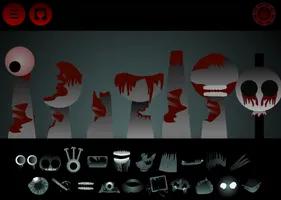
Sprunki Phase 7 Original
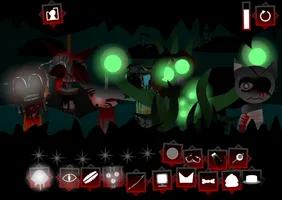
Sprunki Phase 7 Definitive
Sprunksters But Sprinkle
Sprunki OC With Lily
Sprunki Retake New Human
Sprunki Phase 10 Original
Incredibox Mustard
Sprunki Lily
Sprunki Incredibox
Sprunki Wenda Treatment Pyramixed 3.0